Sign In
What this does
Lets you log back into your existing Process Genie account.
Step 1: Go to the Process Genie sign-in page. Enter your credentials:
| Field | What to enter |
|---|---|
| The email you used to sign up | |
| Password | Your account password |
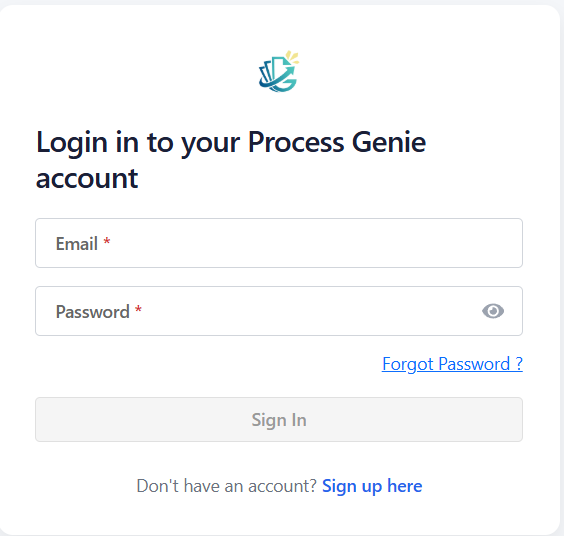
Step 2: Click "Sign In".
- If two-factor authentication (2FA) is enabled on your account, you will be taken to the 2FA verification screen. See Two-Factor Authentication.
- If 2FA is not enabled, you will be taken directly to your dashboard.
Forgot your password?
Click "Forgot Password?" below the Sign In button. Enter your email address and follow the instructions sent to your inbox to reset your password.
IAM User sign-in
If you were invited to join an organization as an IAM user (added by an admin):
- Click the "IAM User" login option
- Enter your company domain (e.g.,
yourcompany.com) and click "Verify" - Enter your email address and password
- Click "Sign in"
Don't have an account?
Click "Sign up here" at the bottom of the Sign In page to create a new account. See Sign Up.